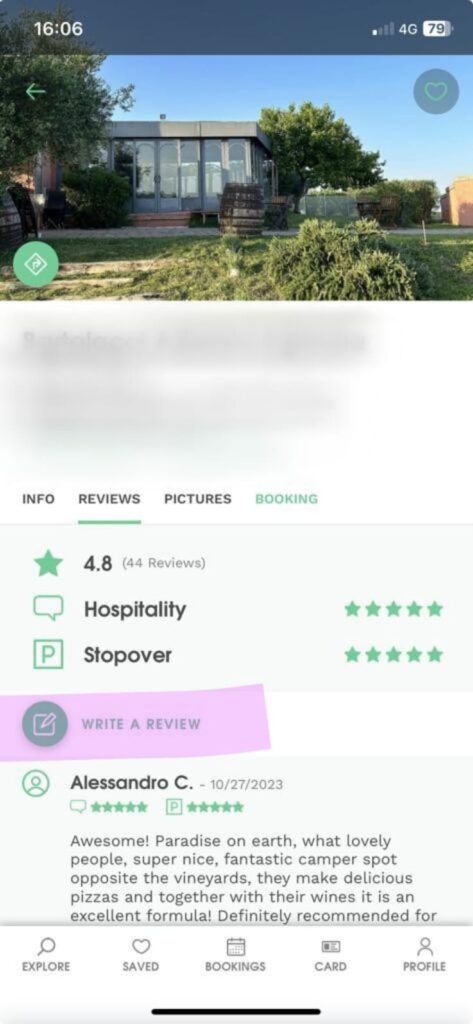
To review an Agricamper host and share your experience, follow these simple steps:
- Open the Agricamper app, then log in with the email address and password chosen during checkout.
- Open the host page of the host you want to review.
- Go to the “Reviews” section to access the review area.
- Select “Write review” and share your experience with clear, factual and useful information for other travellers.
- Add a star rating. If you did not meet the host in person, you can still submit your review without assigning any stars.
- Submit your review to publish it on the host page.
Reviews should be based on a real Agricamper experience and focus on useful details such as hospitality, atmosphere, location, services or activities offered on site. Please keep in mind that Agricamper stopovers are different from traditional campsites: hosts are farmers and producers who welcome travellers free of charge on their private land, dedicating time in addition to their daily activities.